Short answer: Olymp Trade says the minimum withdrawal is usually $10 (₮5 for USDT), it has no maximum of its own, and it charges no withdrawal fee except on USDT and crypto withdrawals and on "non-trading activity".
Money goes back to the method you deposited with, in proportion to each deposit; only profit can go to any of them.
Its Help Center says 84% of requests are processed within 1 hour, but its binding terms only promise a decision "within 5 (five) working days", and bank or e-wallet delivery can add up to 3 business days.
Verification, an active bonus, a second open request or a "suspicious" transaction flag can stop a withdrawal. Screenshots in other reviews do not prove anything about your account; your own records do.
Olymp Trade withdrawal rules at a glance
Every rule below comes from Olymp Trade's Help Center, website or legal documents as published on 2 November 2026. Where the marketing pages and the legal documents differ, both are shown.
The Non-trading Transactions Regulation and KYC/AML Policy (updated 04.04.2019) is part of the client agreement, so it is the text that binds.
| Rule | What Olymp Trade says | Source |
|---|---|---|
| Minimum withdrawal | "generally $10 or its equivalent", can vary by method; USDT minimum ₮5 | Help Center: Minimum and maximum withdrawal limits; How to withdraw in crypto |
| Maximum withdrawal | "Olymptrade does not have maximum withdrawal limits"; USDT maximum ₮1,000,000; banks may set their own limits. The legal terms keep the right to set per-method limits, "displayed on the Client's Dashboard" | Help Center; Non-trading Transactions Regulation cl. 6.6 |
| Open requests | "Only one withdrawal request can be processed at a time" | Help Center: limits |
| Fees | Generally none, except USDT and crypto withdrawals and "non-trading activity" | Help Center: Withdrawal fees; Withdrawals page |
| Where the money goes | "to the same payment instrument from which the Client previously made a deposit", and the company "may limit the amount" to what was deposited from it | Non-trading Transactions Regulation cl. 6.1(d) |
| Decision time | "within 5 (five) working days", except suspicious transactions and technical failures | Non-trading Transactions Regulation cl. 6.8 |
| Marketing speed claims | "84% within 1 hour" (Help Center); "~70% of withdrawals are processed within 1 hour" (Withdrawals page) | Help Center: Withdrawal time frame; Withdrawals page |
| Documents | None "in advance", but verification can be requested before a withdrawal is processed | Help Center: Required documents for withdrawals |
| Bonus money | "The Bonus does not constitute real funds and is not subject to withdrawal" | Bonus Welcome Program terms, cl. 1.1 |
| Demo account | Virtual currency "isn't real and can't be withdrawn" | Free demo account page |
How to request a withdrawal
Olymp Trade accepts a withdrawal order only if you create it in your dashboard; an order "submitted or sent in any other way" is not accepted (Non-trading Transactions Regulation cl. 6.7).
The Help Center gives the same short path for every method:
- Open Payments, then Withdraw in the web terminal or app.
- Pick the method. Bank card, an e-payment system, or USDT. For USDT you need a wallet address "that matches the protocol you used when depositing funds".
- Enter the amount and details. At least $10 for a card; the form shows the limits for your method.
- Submit and save the record. Take a screenshot of the confirmation screen with the date, time, amount and method.
- Track the status under Operations (or Transactions), then Withdrawals. Olymp Trade says it emails you each time the status changes.
Do not keep trading the money you asked to withdraw. If your balance drops below the requested amount while the request is processing, Olymp Trade cancels it automatically "due to insufficient funds".
You can also cancel a request yourself in the Transactions section.
Methods, minimums and limits
Olymp Trade does not publish one list of withdrawal methods for all countries. Its Help Center names three groups: bank cards, e-payment systems and USDT.
Its Platform page advertises "130 payment methods and 17 currencies available for deposit". The methods shown to you depend on your country, and withdrawals follow the deposit method.
| Method | Minimum / maximum | Fee | Processing time stated |
|---|---|---|---|
| Bank card | $10 / no Olymp Trade maximum; your bank may cap transfers, and a card may refuse more than you deposited from it | None from Olymp Trade | Not stated separately; money "sent" can take up to 3 business days to arrive |
| E-payment system (e-wallet) | $10 generally / no Olymp Trade maximum | None from Olymp Trade; your provider may charge | "usually processed within 24 hours" |
| USDT | ₮5 / ₮1,000,000 | "The withdrawal fee depends on the protocol used"; "A small network fee is charged for all USDT withdrawals" | "usually processed within an hour", can vary with "blockchain traffic" |
| Other crypto | Not published | "A commission is charged for all cryptocurrency withdrawals" | Not published |
| Bank transfer (where offered) | Shown in the dashboard | Not published | Olymp Trade "is not responsible for the time the bank transfer may take" (cl. 7.1.4) |
Large amounts can arrive in parts. Olymp Trade says some banks and e-payment systems cap single payouts, so it splits the transfer and the status shows "Processing" until all parts are sent.
If a bank rejects a transfer, Olymp Trade says it may send the rest to an e-wallet instead.
Fees and commission conditions
The Withdrawals page leads with "0% Zero withdrawal fees*". The asterisk matters. The page and the Help Center list three exceptions, and the legal terms add more ways an amount can shrink.
| Situation | What Olymp Trade says | Source |
|---|---|---|
| USDT withdrawals | "All USDT withdrawals are subject to commission" | Help Center: Withdrawal fees |
| Other crypto withdrawals | "A fee is applied when withdrawing funds into cryptocurrency" | Help Center: Withdrawal fees |
| Deposit and withdraw without trading, or duplicate accounts | "may be subject to commissions per the Non-Trading Transactions Regulation and KYC/AML Policy" | Help Center: Withdrawal fees |
| Transaction flagged as suspicious | The company may "Deduct up to 20% (Twenty percent) from any withdrawn amount, including commissions from the Company's and (or) the Client's banks and (or) PSPs" | Non-trading Transactions Regulation cl. 1.6 |
| Currency conversion | The company "sets the conversion rate, the amount of the commission, and other costs for each method" and the rate "may differ" from official and market rates | Non-trading Transactions Regulation cl. 6.5 |
| Wrong account details | "the commission costs to resolve the situation will be paid by the Client" | Non-trading Transactions Regulation cl. 6.10 |
| Payment provider charges | Some payment systems charge for withdrawals; check with your provider | Olymp Trade blog FAQ (March 2020) |
Worst case under cl. 1.6: amount received ≥ request × (1 − 0.20). On a $300 request: 300 × 0.80 = $240, so up to $60 could be deducted.
Olymp Trade does not say how often it applies the 20% clause, and it does not publish its USDT, crypto or conversion charges as numbers. Read the amount shown on the withdrawal form before you confirm, and screenshot it.
Processing times: what Olymp Trade states
Olymp Trade publishes several speed figures, and they do not match. None of them is a promise. The only time limit in the binding terms is the 5-working-day decision in cl. 6.8.

| Statement | Where | Type |
|---|---|---|
| "84% within 1 hour", "93% within 4 hours", "97% within 24 hours", "99% within 4 days" | Help Center: Withdrawal time frame | Company statistic |
| "~70% of withdrawals are processed within 1 hour"; 25% under 24 hours; 5% "other" | Withdrawals page | Marketing |
| Basic status: "Completed within 24 hours"; higher statuses get higher priority | Statuses page | Marketing |
| E-payment systems "within 24 hours"; USDT "within an hour" | Help Center method pages | "Usually" |
| "up to 3 business days for the money to appear in your account" after it is sent | Help Center: Money sent, but I haven't received it | Estimate; depends on your bank |
| Decision "within 5 (five) working days" | Non-trading Transactions Regulation cl. 6.8 | Contract term, with exceptions |
| If money is not in your account 5 business days after the decision, you may ask Olymp Trade to investigate | Non-trading Transactions Regulation cl. 6.9 | Contract term |
| "In emergencies" up to 5 days; "more than 90%" within one trading day | Olymp Trade blog FAQ, dated 2 March 2020 | Old marketing |
Two practical points follow. First, a request can be "processed" quickly and still take days to land, because the bank or e-wallet handles the last step.
Olymp Trade says that once the status is "Money sent", it cannot track the funds further. For card payouts, ask support for the ARN (Acquirer's Reference Number) and give it to your bank.
Second, the exceptions in cl. 6.8 cover "suspicious" transactions and "technical failures", so the 5-day limit does not apply in exactly the cases where people most need it.
The same-method rule
Olymp Trade sends deposits back where they came from.
Its Help Center calls this a rule "in place to comply with international legal standards", and gives a worked example: a $40 card deposit, a $100 e-wallet deposit and $160 of profit.

- Proportional split. If you deposited with more than one method, "the amount you can withdraw will be proportional to the amount deposited with each method".
- Profit above deposits. Profit over what you deposited "may be transferred ... only in the order agreed between the Company and the Client" (cl. 6.11). In practice the Help Center says it can go to any of your deposit methods.
- Bank refuses more than the deposit. Olymp Trade says some banks will not accept a card payout larger than the original card deposit, and "unfortunately, banks don't always disclose a reason". It may then ask for e-wallet details.
- Expired, lost or blocked card. Contact support before you request a withdrawal. Removing a payment method requires verification first.
- Someone else's card or wallet. Depositing with a payment method that is not yours breaks cl. 1.4.6 of the Service Agreement. Withdrawals may go only to an account, e-wallet or card "registered only in his name" (Regulation cl. 7.1.2, 7.2.2, 7.3.3).
Verification before a withdrawal
Olymp Trade says you "don't need to provide any documents in advance", but it may ask for them "before processing a withdrawal request".
Its Service Agreement (cl. 4.3) lets it ask for identity documents "at any time after registration" and gives you 7 days to supply them. Its Help Center sets out two tracks.
| Item | Voluntary verification | Mandatory verification |
|---|---|---|
| How it starts | You ask support in chat | Olymp Trade notifies you, for example after a deposit with a new payment method or a suspected account compromise |
| Documents | ID and a 3D selfie | ID, 3D selfie, proof of residence, proof of payment method and proof of source of funds |
| Deadline | "no time limit" | Upload "within 14 days of receiving the email"; "Access to trading will be closed until your account is verified" |
| Review time | "no more than 24 hours", but "in some circumstances, the process may take up to five business days" | |
Document rules are strict. The ID photo must be no more than two months old and not a screenshot.
Proof of residence must be under three months old (bank or card statement, utility, landline or internet bill, tax notice, or a letter from a local government body; mobile phone bills are refused).
For a card, one image must show your name, the expiry date and the first six and last four digits. For an e-wallet, a screenshot must show your name, the transaction date and the amount. Images must be uncropped and unedited.
Passing verification does not end the checks.
Olymp Trade says a verified profile "may be selected for additional review", during which "deposits, withdrawals, or trading tools, may be temporarily unavailable", and support "won't be able to speed up or override the review".
Active traders will "likely need to verify" again, for example after using a new payment method.
What can delay, cancel or block a withdrawal
| Cause | What Olymp Trade's documents say | What to do |
|---|---|---|
| Active deposit bonus | A withdrawal request from an account with an active bonus task ends the programme, and "all progress towards the Task completion will be permanently lost" (Bonus terms cl. 5.1.1, 5.2). The Service Agreement (cl. 2.4) lets the company deduct "the full sum of the previously accrued Bonuses" when you withdraw deposited funds. | Read the bonus terms before you accept one. Check the "Unlock Your Reward" section before you withdraw. |
| Turnover target not met | The reward needs a trading volume equal to the bonus times a multiplier. Only Fixed Time and Flex trades count; Forex, Stocks, risk-free trades and trades that close without result do not (cl. 4.2–4.3). The programme runs 30 days unless stated otherwise (cl. 2.6). | Treat bonus money as locked. Profit on the bonus share stays bonus (cl. 3.4). |
| Verification pending or requested | Trading closes until you verify; documents can be requested before a withdrawal is processed | Verify before your first withdrawal and keep documents current. |
| Profile review | Withdrawals "may be temporarily unavailable" during review | Upload what the Verification page asks for; keep the request emails. |
| Another request still open | "Multiple requests cannot be processed simultaneously" | Wait for the first request to finish. |
| Balance fell below the request | Cancelled automatically "due to insufficient funds" | Do not trade the requested amount while it processes. |
| Bank rejection | Olymp Trade emails instructions; it may resend to an e-wallet | Ask support for the reason and the ARN; check with your bank. |
| "Suspicious" non-trading activity | Includes deposits and withdrawals "without intention to perform trading transactions or with low/insignificant trading transactions volume". The company may refuse the withdrawal, return funds to source, deduct up to 20% or close the account (cl. 1.6, 2.1) | Expect questions if you deposit and withdraw without trading. |
| More than one account | "The Client is entitled to only one Client's Account" (Service Agreement cl. 2.32) | Use one account only. |
| Open dispute | The company may "fully or partially block transactions" until the dispute is settled (cl. 5.9) | Keep the claim factual and complete so it can be closed. |
| Account blocked for a breach | If you take no steps to fix the reason within 30 days, the company "reserves the right to deduct all the funds from the trading account" (cl. 8.4.2) | Reply to every request in writing, inside 30 days, and keep proof. |
BeCoin's Olymp Trade scam-or-legit review covers the account-blocking clauses in more depth.
How to document a withdrawal request
When a withdrawal goes wrong, evidence decides the outcome, and Olymp Trade's terms start from its own data: its server log entries "have absolute priority over other evidence and proof" (Service Agreement cl. 5.4).
Your records are what you can add. Build them before you need them.
| Record | Why it matters |
|---|---|
| Screenshot of the request form and confirmation (amount, method, fee shown, date and time) | Shows exactly what you asked for and any fee displayed before you confirmed |
| Screenshots of each status in Operations → Withdrawals, with time stamps | Shows when the request was accepted, processed and "Money sent" |
| Every status email from Olymp Trade | Independent time stamps from the company itself |
| Your account number and the withdrawal or transaction ID | Olymp Trade and the Financial Commission both ask for a reference |
| Bank or e-wallet statement showing the deposit and, later, the payout | Proves the payment method is yours and whether money arrived |
| ARN for card payouts (ask support) | Lets your bank trace the transfer |
| Chat transcripts and email threads with support, saved as files | Proves when you complained and what you were told |
| Copies of the documents you uploaded for verification and the upload dates | Shows you met the 7-day or 14-day deadlines |
A trading journal that logs deposits, withdrawals and request IDs next to your trades makes the timeline easy to rebuild.
If you need to complain, Olymp Trade's Service Agreement (cl. 5.2) sets the format. The claim must be in writing and sent "no later than 5 (five) working days from the date of the event"; a late claim can be rejected.
It must include your full name, email, account number, the date and time of the event, a short description, your demand, the amount and how you worked it out, your evidence, and the clauses you think were broken.
It must not contain "emotional evaluation", offensive statements or profanity (cl. 5.3).
Escalation: Olymp Trade's ladder, then the Financial Commission
Olymp Trade's Service Agreement makes its own procedure "mandatory before applying to any state authorities, courts, and/or financial institutions" (cl. 5.2). The steps are:
- Customer Support. LiveChat on olymptrade.com or support@olymptrade.com (cl. 5.2.4).
- Customer Service Executive Team. If support has not resolved it "within 35 (thirty-five) days" of receipt: executiveqc@olymptrade.com (cl. 5.2.5).
- Claim department. If still unresolved after 10 business days: claim@olymptrade.com. You must complete verification first (cl. 5.2.6). The company considers a claim "within no more than ten (10) working days" (cl. 5.6).
- Financial Commission. If Olymp Trade does not settle it, the agreement says you may file with the Financial Commission (cl. 5.7).
- Vanuatu Financial Services Commission. Only after the steps above, a claim sent by registered mail to the registered address, and 60 calendar days without a response (cl. 5.8).

The two timetables do not line up.
The Financial Commission says a member "has 5 days to acknowledge" a complaint and "14 days to answer", and that you can file once you are not satisfied with the decision "or decision wasn't made within 14 days".
Olymp Trade's agreement lets support take 35 days. Neither page explains how the 45-day window applies when a member's own steps run longer.
Complain to Olymp Trade in writing at once, note the date, and if you have no substantive answer after 14 days, ask the Financial Commission how its deadline applies to your case before day 45.
What the Financial Commission is, and is not:
- Free and independent, but not a regulator. It calls itself an external dispute resolution body that "is not a governmental regulatory body" and "is not licensed by any regulator". Olymp Trade has been a member since 22 February 2016.
- How a case runs. It checks the complaint within 5 business days, may try a settlement, then its Dispute Resolution Committee decides. Decisions "are binding on Brokers" and on clients only if they accept them, within 14 days. A member "must award the settlement within 28 days". Complaints under $250 are heard by one committee member; larger ones by at least three.
- What to send. Its form asks for the broker's reference number, a description with dates, the resolution you want with "relevant calculations", and copies of all related documents, including the broker's written reply. It asks you not to upload passports or other personal ID.
- Compensation Fund limits. Up to €20,000 per client, but only when a member refuses to pay a Financial Commission judgment. It "does not cover traders' possible losses incurred while engaging in self-directed trading", does not apply to broker insolvency, and excludes "synthetic, non-market financial products".
- Crypto accounts. The Financial Commission says it "does not accept or process complaints related to trading or storing digital assets". Olymp Trade's digital-asset accounts are run by a separate company, Saledo Global LLC. Ask the Financial Commission whether a USDT-account dispute is in scope before you rely on it.
The Financial Commission's report for July to September 2026 shows how common money-movement disputes are across all its members: 190 of 814 new complaints were about withdrawals or deposits.
It resolved 79% of all complaints within the quarter, with a median of 19 days for member cases, and awarded $75,585, equal to 1.2% of the amount members' clients sought.
These figures cover all member brokers, not Olymp Trade alone.
Recovery scams after a failed withdrawal
People who report a stuck withdrawal online often get messages from "recovery agents", "lawyers" or fake regulators. Regulators are clear about this:
- US Federal Trade Commission: "Never pay upfront for a refund or help with a refund." "Government agencies and legitimate organizations will never ask for money to help you get a refund." Report to ReportFraud.ftc.gov.
- UK Financial Conduct Authority: recovery room fraudsters approach people "offering to help them get their money back for an upfront fee", often "impersonating us", and charge fees "which can result in losses that can be greater than the initial loss". If asked for a fee or bank details, "end all contact immediately".
- US Commodity Futures Trading Commission: the CFTC "will never approach you with offers to recover money lost to investment scams" and "will never tell you your money has been recovered, but that you must pay a fee or a tax to get it back". It warns that fraud victims "are now a target for other frauds".
- The Financial Commission itself: "If someone claiming to be the Financial Commission asks you for money, it is a scam." Its only website is financialcommission.org, it never contacts traders first, never uses messengers, and does "not provide fund recovery or chargeback services". Its page lists fake look-alike sites and email addresses reported from 2018 to 2026.
There are Olymp-branded traps too. On 5 April 2024 the Financial Commission put a "clone website of Olymp Trade" on its Warning List, saying it "IS NOT affiliated with Olymp Trade".
On 27 October 2026 it added "Olymp Matix (Tradematix LLC)". Type olymptrade.com yourself and check the address of any page that asks for a deposit, a "release fee" or a "tax" to unlock a withdrawal.
Checklist before you deposit or withdraw
- Check your country against Olymp Trade's excluded list and your own regulator's warnings first.
- Deposit only with a card or wallet in your own name, and as few methods as possible.
- Decline bonuses unless you have read the turnover rules; a bonus locks part of every stake and win.
- Verify early. Do the voluntary check (ID and 3D selfie) before your first withdrawal.
- Test small. Request a $10 withdrawal before you add more money, and time each status.
- Read the form. Check the method, the limit and any fee shown, and screenshot it.
- Do not trade the requested amount while the request is open.
- Save every record: IDs, emails, statements, chat transcripts.
- Complain in writing within 5 working days of a problem, and diarise day 14 and day 45.
- Never pay anyone to "recover" or "release" a withdrawal.
Fixed Time trading carries a built-in negative edge; BeCoin's Olymp Trade platform review shows the break-even math. Use only money you can lose in full, and size stakes with the position size calculator.
FAQ
How long does an Olymp Trade withdrawal take?
Olymp Trade's Help Center says 84% of requests are processed within 1 hour and 97% within 24 hours; its Withdrawals page says about 70% within 1 hour.
After the money is sent, it can take up to 3 business days to reach your bank or e-wallet. The binding term is a decision within 5 working days, with exceptions for suspicious transactions and technical failures.
What is the minimum withdrawal on Olymp Trade?
Generally $10 or the equivalent in your currency, and ₮5 for USDT. The amount can vary by payment method.
Does Olymp Trade charge a withdrawal fee?
Not usually. It charges on USDT and other crypto withdrawals, and it may charge if you deposit and withdraw without trading or use duplicate accounts.
Your bank or e-wallet may also charge, and Olymp Trade sets its own conversion rate.
Why was my Olymp Trade withdrawal cancelled?
The reasons Olymp Trade names are a bank rejection and a balance that fell below the requested amount, often because the trader kept trading.
A pending verification, a profile review, an active bonus or a "suspicious" flag can also stop it.
Can I withdraw to a different card or e-wallet?
Deposits go back to the method they came from, in proportion. Profit can go to any of your deposit methods. A different method needs Olymp Trade's agreement, and it must be in your name.
For an expired or blocked card, contact support before you submit a request.
Can I withdraw an Olymp Trade bonus?
No. Olymp Trade's bonus terms say the bonus "is not subject to withdrawal". Only the fixed reward paid after you complete the trading-volume task is withdrawable, and requesting a withdrawal before then cancels the task.
Do I need to verify my account to withdraw?
Not always in advance, but Olymp Trade can require verification before it processes a withdrawal, and you must comply within 14 days of a mandatory request. You must be verified before you file a claim with its claim department.
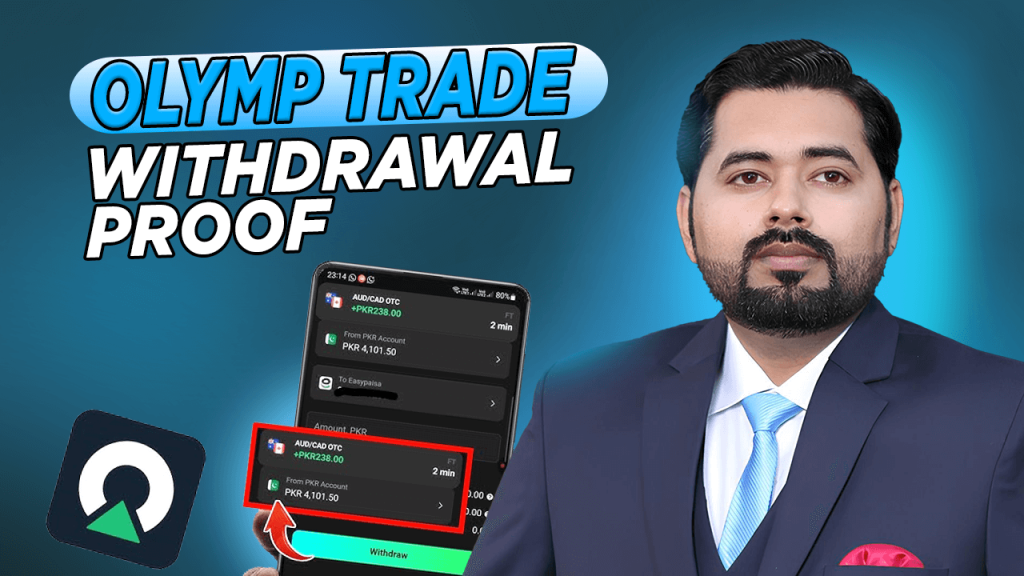
Are withdrawal screenshots in reviews proof that Olymp Trade pays?
No. A screenshot shows one payout to one person at one time, and it cannot be checked. It says nothing about your country, your payment method or your account.
Olymp Trade's own terms, your own small test withdrawal and your own records are better evidence.
Who can help if Olymp Trade does not pay?
Follow Olymp Trade's written complaint steps first, then file free with the Financial Commission, which hears disputes against its members.
Never pay a "recovery" service; regulators and the Financial Commission say they never charge for this.
Bottom line
Olymp Trade's withdrawal rules are published, but they are spread across a Help Center, a marketing page and a 2019 legal policy that gives the company wide discretion.
The headline numbers ($10 minimum, no maximum, zero fees, 84% within an hour) look simple.
But they sit next to clauses that allow a 5-working-day decision, extra checks at any time, a 20% deduction on "suspicious" withdrawals and the loss of bonus money when you withdraw.
Verify early, deposit with one method in your own name, skip bonuses, test with $10, keep every record, complain in writing within 5 working days, and never pay a stranger to get your money back.