Olymp Trade Mobile App Deep Dive (iOS & Android): My Real Trading Journal
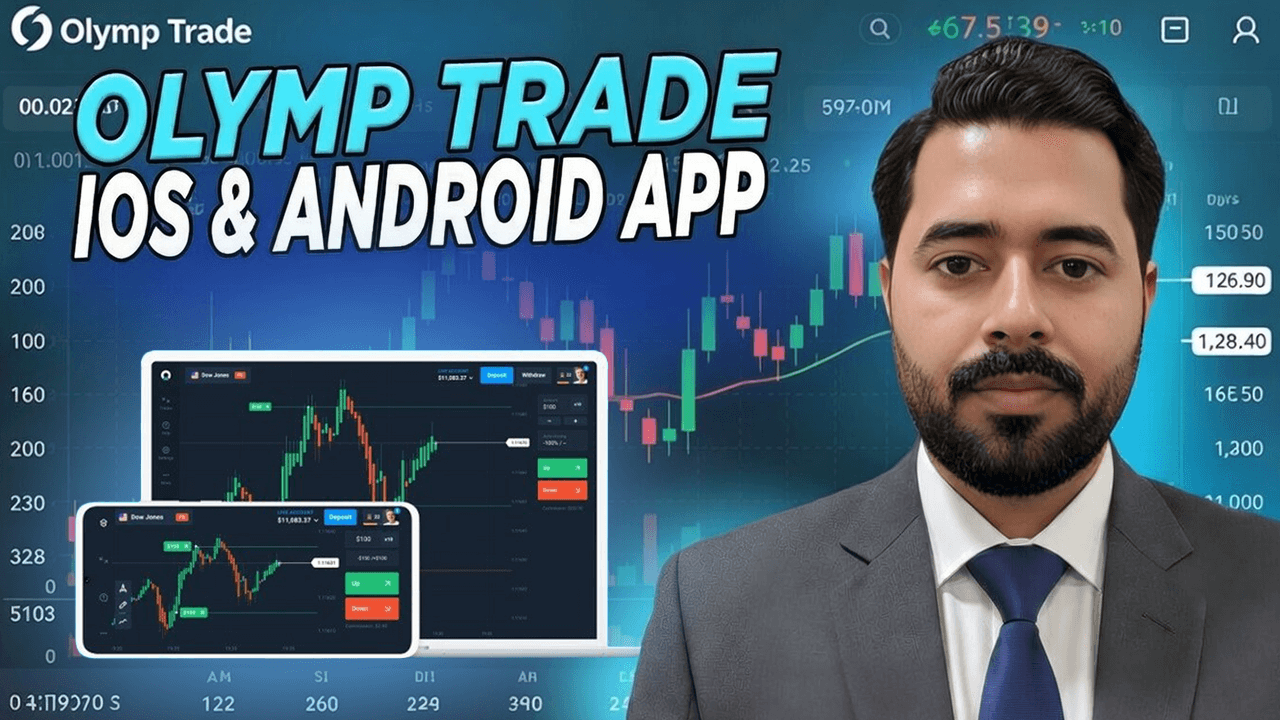
Before I placed my very first trade on the Olymp Trade mobile app, I did what most traders do. I searched Google. I skimmed the top results. I even checked what a few AI tools had to say. And almost everything I found felt the same. Feature lists. App store screenshots. Generic pros and cons that could apply to any trading app.
None of it answered the questions I actually had while trading from my phone at 2 a.m., half-asleep, with real money on the line.
So this isn’t another surface-level review. This is my personal, experience-driven deep dive into the Olymp Trade mobile app on both iOS and Android, written as I’ve lived it. The good screens, the annoying ones, the trades I executed smoothly, and the moments where mobile trading forced me to slow down.
If you’re curious to test the app yourself, this is exactly where I started with my own account, using the same mobile setup I describe below. You can open an Olymp Trade account here through my affiliate link and explore the app risk-free in demo mode before committing real funds.
If you want to see how the Olymp Trade mobile app actually feels before risking anything, you can open an Olymp Trade account here and explore the demo mode. That’s exactly how I started testing the app on my phone.
Why I Took Mobile Trading Seriously (And Stopped Treating It as a Backup)
For a long time, I treated mobile trading apps as secondary tools. Desktop was “real trading.” Mobile was just for checking positions.
That mindset changed the week I had to travel unexpectedly. Laptop battery dead. Internet spotty. My phone was all I had.
I downloaded the Olymp Trade mobile app on Android first, then later tested the iOS version on my secondary phone. What surprised me wasn’t that it worked. It was how much of my usual workflow survived intact on a small screen.
This is where most Google results stop. They say “mobile-friendly” and move on. What they don’t tell you is how trading decisions actually feel when you’re tapping instead of clicking.
First Launch Experience on iOS vs Android
Installation and Account Sync
Both versions install quickly. Login syncs instantly with my existing account. No extra verification loops, no broken sessions.
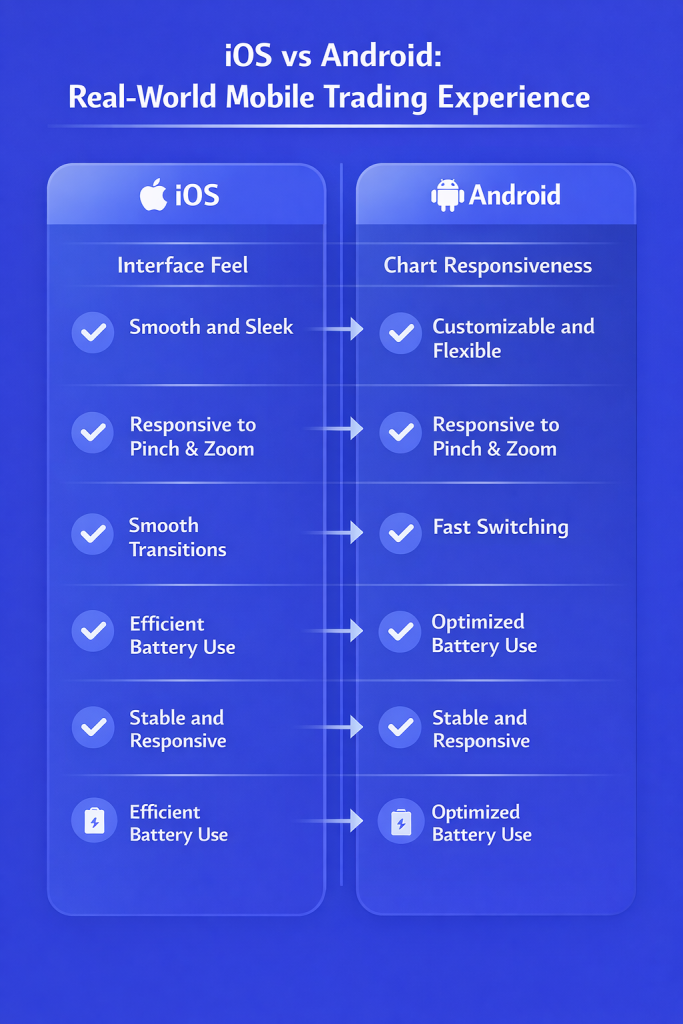
On Android, the app felt slightly more customizable right away. On iOS, it felt cleaner and more controlled. Functionally, they’re nearly identical, but the personality is different.
What stood out immediately was that my demo and live balances, trade history, and asset preferences synced perfectly across devices. I could analyze on Android, place a trade on iOS, and review results later without missing context.
This consistency matters more than people admit, especially when you’re trading short-term instruments.
Interface Design: What the Screens Don’t Show in Reviews
Home Screen and Asset Discovery
The Olymp Trade mobile app doesn’t overload you on launch. That’s a good thing.
From the home screen, I could:
- Switch between demo and real accounts instantly
- See active trades without digging through menus
- Browse assets with clear payout visibility
What most reviews miss is how fast asset discovery is on mobile. I wasn’t scrolling endlessly. The search function actually remembers frequently traded assets, which saved me time during volatile sessions.
Chart Navigation With One Hand
This was my biggest concern. Charts on mobile are usually cramped.
On Olymp Trade:
- Pinch-to-zoom is responsive, not laggy
- Switching timeframes takes one tap
- Indicators load quickly and stay readable
I tested this during live trades, not demo play. On both iOS and Android, I could zoom into a one-minute chart and still see price action clearly enough to make decisions.
That doesn’t mean mobile charts replace desktop analysis. They don’t. But for execution and quick confirmations, they’re usable in real conditions.
Placing My First Trades on Mobile (What Actually Happened)
I started with the demo account, then moved to small real trades. Here’s exactly how it played out.
Trade Execution Flow
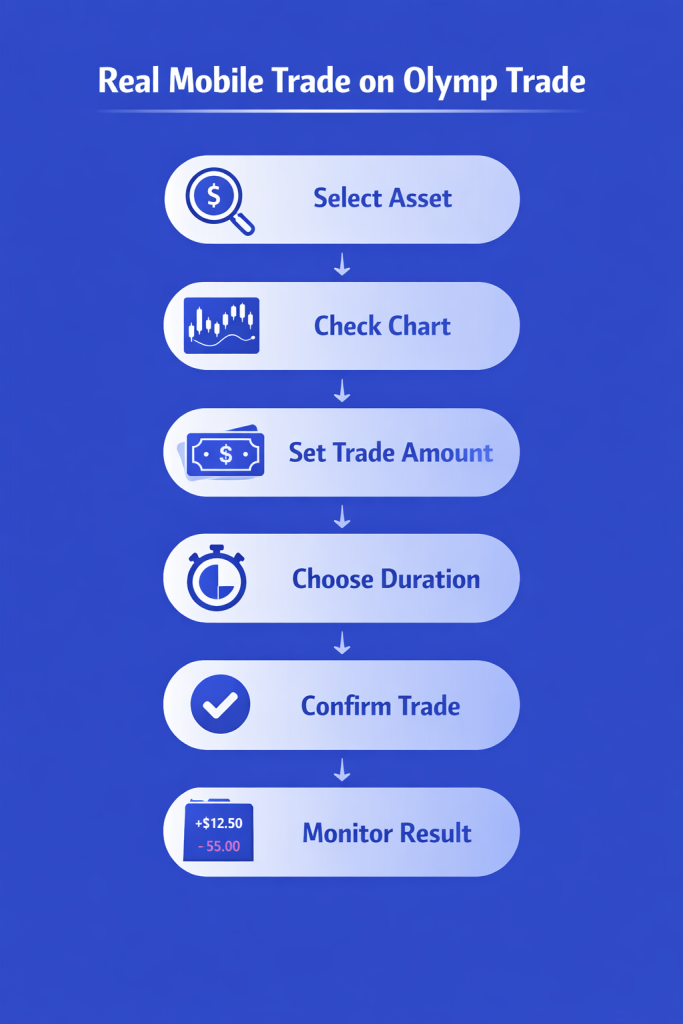
From asset selection to order confirmation, the flow is simple:
- Choose asset
- Select trade type
- Set amount
- Set duration
- Confirm
What’s important is that there’s no visual clutter during this process. No popups pushing bonuses. No distractions mid-execution.
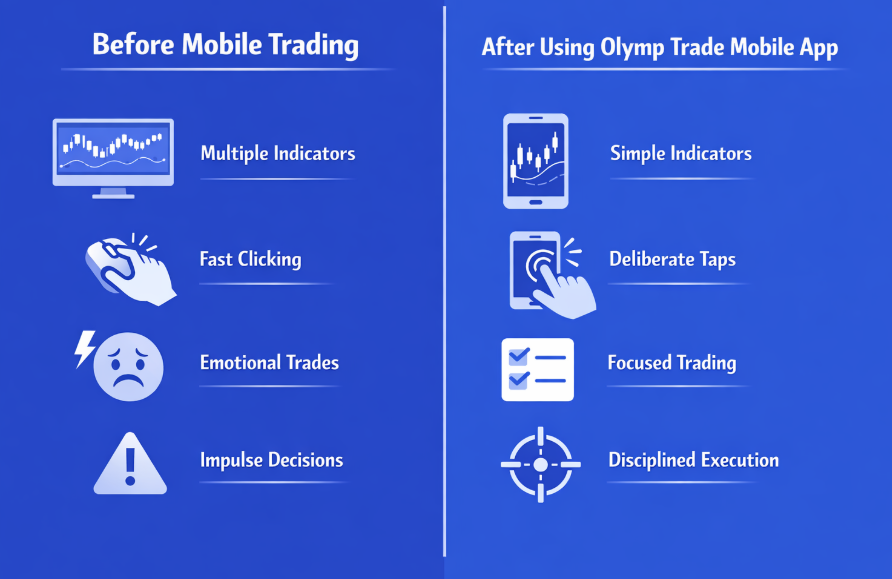
I noticed something subtle. The app forces a moment of pause before confirming. That extra second reduced impulsive taps. On desktop, I’m faster. On mobile, I’m more deliberate.
That changed my behavior.
Trade Management on a Small Screen
Monitoring Open Positions
Active trades are visible at all times. I didn’t need to jump between screens.
I could:
- Track remaining time visually
- See entry price and current price clearly
- Exit early without confusion
One thing I appreciated was how readable everything stayed, even under pressure. During fast markets, clarity matters more than advanced tools.
Early Close Feature in Real Use
I tested early close on multiple trades, both profitable and losing.
The execution was instant. No delays. No misclicks.
This is where the Olymp Trade mobile app surprised me. Many apps advertise early close, but hide it behind menus. Here, it’s always visible when available.
Indicators and Tools: What’s Realistically Usable on Mobile
Let’s be honest. No one is running a 12-indicator strategy on a phone.
On mobile, I used:
- Moving averages
- RSI
- Support and resistance drawing tools
That was enough.
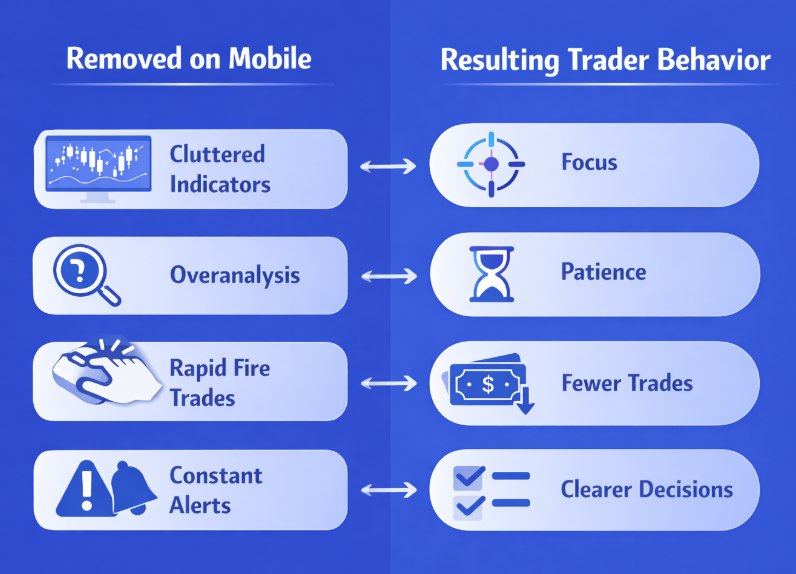
The Olymp Trade mobile app limits complexity by design, and that’s not a flaw. It forces you to focus on price and structure instead of over-engineering setups.
This is something top search results don’t mention. Mobile trading isn’t about replicating desktop complexity. It’s about disciplined execution.
Strategy Adjustments I Made for Mobile Trading
Trading on mobile forced changes in my approach.
I shortened my asset list. I avoided ultra-short expiries. I focused on clean setups.
This aligned perfectly with the risk management principles I’ve written about before, especially in my detailed guide on disciplined position sizing and trade control, which you can read here: Pocket Option risk management explained for real traders.
Different platform, same lesson. Mobile punishes overtrading.
Performance and Stability: iOS vs Android Over Time
App Stability During Volatility
I traded during high-volatility sessions to test stability.
Results:
- No crashes
- No frozen charts
- No delayed order confirmations
Android felt slightly faster when switching between screens. iOS felt smoother visually. Neither caused execution issues.
Battery and Data Usage
This is rarely discussed, but it matters.
The Olymp Trade mobile app is light on battery consumption. I could trade for hours without draining my phone. Data usage stayed reasonable even on mobile networks.
That’s crucial if you’re not always on Wi-Fi.
Notifications and Alerts (The Part Most Reviews Ignore)
Push notifications are configurable, not aggressive.
I enabled:
- Trade result alerts
- Account activity notifications
I disabled:
- Promotional alerts
The app respected those settings. No spam. No pressure.
This matters for mental discipline. Constant alerts lead to emotional trading. Olymp Trade gets this balance right on mobile.
Account Management and Withdrawals on Mobile
I tested deposits and withdrawals directly through the app.
The process was identical to desktop:
- Clear instructions
- Transparent status updates
- No hidden steps
This matches what I’ve covered in my broader analysis of real trader experiences with withdrawals and app reliability, which I detailed in my Pocket Option withdrawal proof review. Different platform, same standards I expect.
Mobile access didn’t limit account control in any meaningful way.
What the Top Google Results Don’t Tell You
Here’s the real content gap I noticed.
Most articles focus on:
- App features
- App store ratings
- Marketing claims
They don’t talk about:
- How mobile trading changes decision speed
- How screen size impacts risk control
- How fewer tools can actually improve discipline
The Olymp Trade mobile app isn’t powerful because it does everything. It’s powerful because it removes friction from the parts that matter most when you’re trading on the move.
Who the Olymp Trade Mobile App Is Actually For
Based on my experience, this app works best for:
- Traders who execute, not overanalyze
- People who manage trades away from a desk
- Anyone who wants consistency across devices
It’s not ideal for:
- Complex multi-indicator systems
- Heavy backtesting on the fly
- Traders who rely on multiple external tools
Knowing this upfront saves frustration.
Learn more if you are curious whether Olymp Trade is legit or not.
Mid-Journey Reality Check
This is where I usually ask myself a simple question.
Would I trust this app with real money when I don’t have my laptop?
The answer, after months of use, is yes.
If you want to experience the same mobile setup I’m describing, you can open an Olymp Trade account here using my affiliate link. Start on demo, explore the mobile charts, and see how it feels in your hands before risking capital.
After placing dozens of trades from my phone, what mattered most was how calm and controlled the process felt. If you’re curious to try the same mobile setup, you can create an Olymp Trade account from here and test real-time charts on iOS or Android using the demo balance first.
Lessons I Learned Trading on Olymp Trade Mobile
Some lessons only show up when you trade on a phone.
- Simplicity improves discipline
- Fewer trades often mean better outcomes
- Mobile trading rewards patience, not speed
These aren’t marketing lines. They’re notes I wrote after reviewing my trade history.
How Mobile Trading Changed My Routine
I now do analysis on desktop and execution on mobile.
Why?
- Mobile removes distractions
- Execution feels more intentional
- I’m less likely to revenge trade
This hybrid approach wasn’t something I planned. It emerged naturally from using the Olymp Trade mobile app consistently.
Final Thoughts From My Trading Journal
The Olymp Trade mobile app on iOS and Android isn’t perfect. No app is.
But it does something most trading apps fail at. It respects the reality of mobile trading instead of pretending a phone is a desktop replacement.
It gives you:
- Clarity over complexity
- Stability over gimmicks
- Control without pressure
If you’re serious about trading from your phone, not casually but deliberately, this app deserves real testing.
You can open an Olymp Trade account through my affiliate link here and explore everything I’ve covered, starting with the demo account and moving at your own pace.
Mobile trading doesn’t have to feel like a compromise. With the right app and the right expectations, it can become a strength.
Mobile trading only makes sense when the app supports discipline instead of rushing decisions. If you want to experience everything I’ve documented in this journal, you can open your Olymp Trade account here and start trading from your phone at your own pace.